Hardware Implementation of the Pong Game

Welcome to the VHDL Hardware Pong Game project! This repository contains a complete hardware implementation of the classic Pong game. Let’s have a quick Demo of the Game in video below.
Watch my video on youtube (click on the picture below):
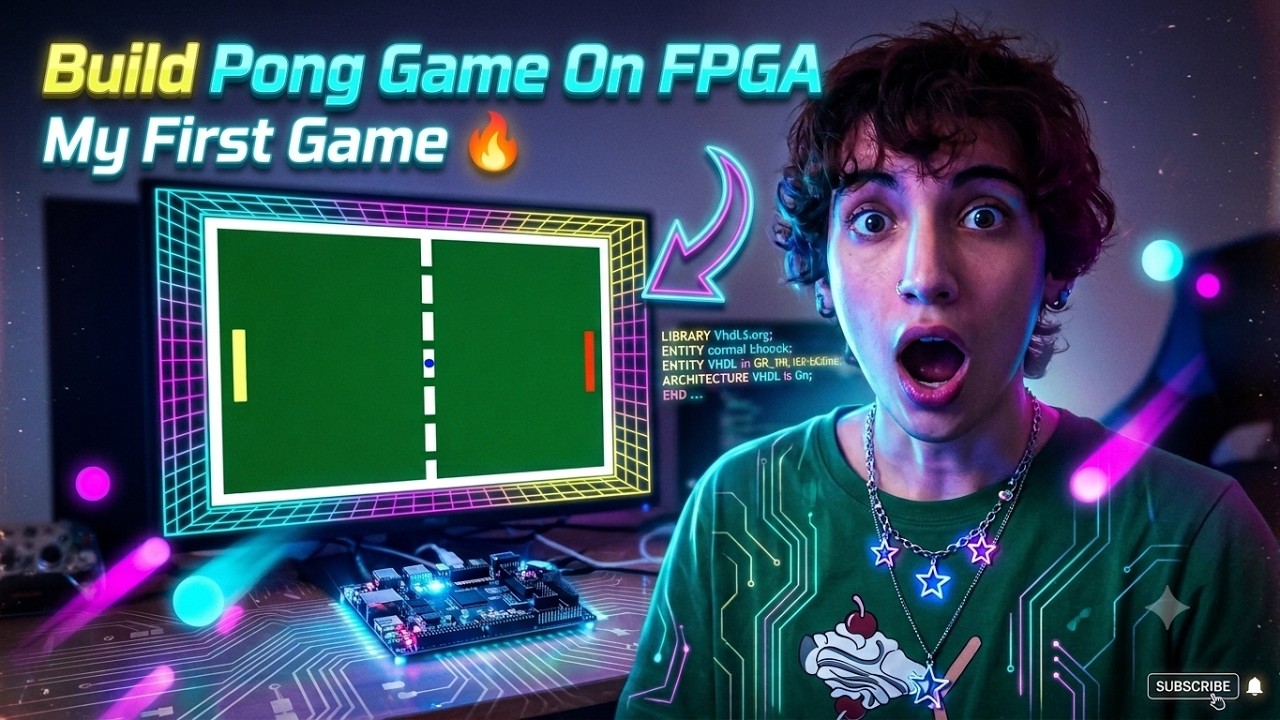
To be honest, this was the first serious project I created during my journey with FPGAs. In the spring of 2026, I decided that I wanted to truly master RTL design, and I asked myself: what could be more joyful than building games in hardware?=)))
That idea became the start of my FPGA game‑development adventure. Pong was my first milestone, and through it I practiced real RTL design, timing, video output, and hardware‑driven game logic. This project represents the moment where my learning turned into something creative, fun, and fully my own.
Project Overview
The goal of this project is to recreate the iconic Pong game entirely in hardware. It supports two-player gameplay, where players use buttons to control their paddles and prevent a ball from passing their side.
System Architecture
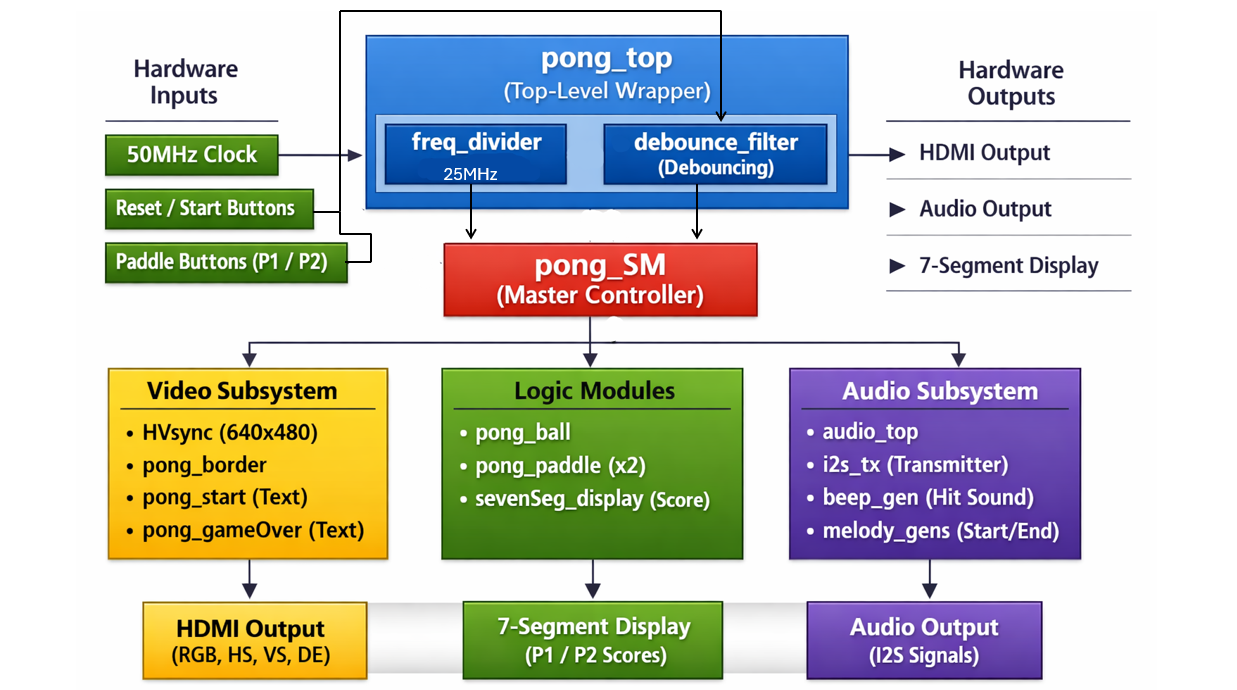
The architecture follows a hierarchical design. At the center is the Top-Level Module (top/pong_top), which connects the game logic, video generation, and audio systems.
The Pong Game’s Block Diagram:
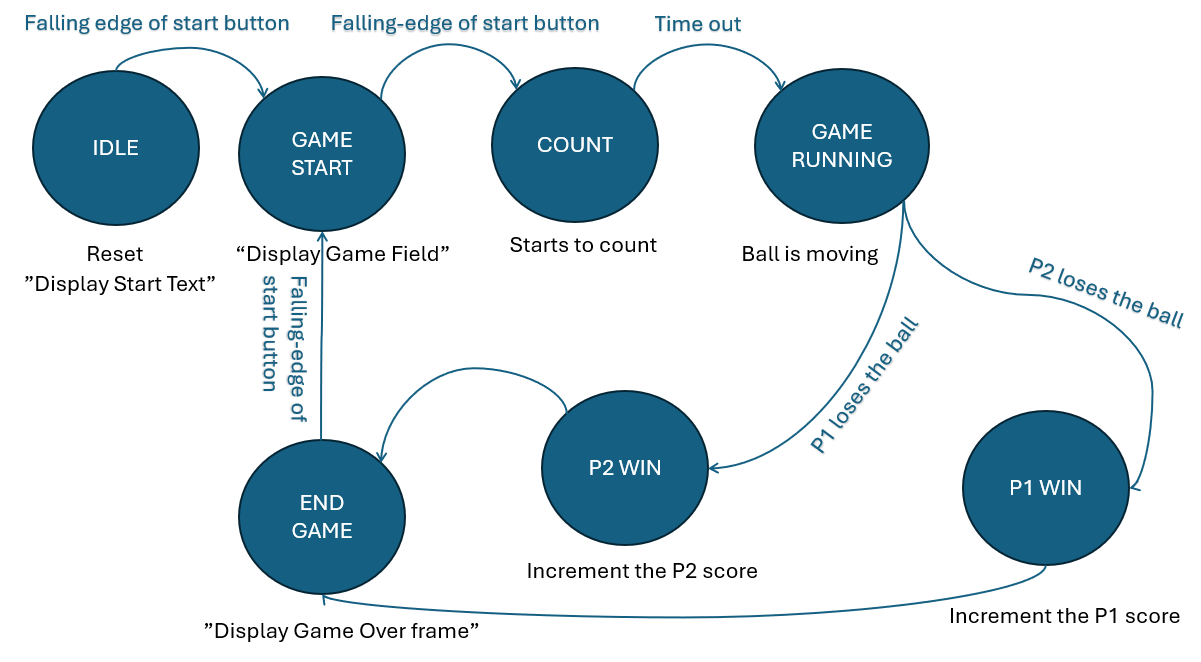
State Machine(FSM):
The Game State Machine (top/pong_SM) acts as the controller, managing whether the game is in the “Start,” “Play,” or “Game Over” phase. It receives inputs from the paddles and ball modules and decides what should be drawn on the screen and what sounds should play.
Detailed Module Descriptions
Core Logic & Control
top/pong_top.vhd: This is the master wrapper. It connects the FPGA pins (buttons, switches, VGA, and Audio) to the internal logic.top/pong_SM.vhd: The “brain” of the game. It handles the main game states and combines the video signals from the ball, paddles, and borders to create the final RGB output for the monitor.common/pongPack.vhd: A utility package containing shared constants and functions, such as logic for drawing text characters (S, T, A, R, G, etc.) on the screen.
Video Generation
video/HVsync.vhd: This module generates the Horizontal (HS) and Vertical (VS) sync signals required for a standard VGA display. it also provides the current pixel coordinates (X and Y) to the rest of the system.video/pong_ball.vhd: Tracks the ball’s position and movement. It calculates when the ball hits a paddle or a wall and signals when a point is scored.video/pong_paddle.vhd: Manages the vertical position of the paddles. It listens to the “Up” and “Down” buttons and ensures the paddles stay within the screen boundaries.video/pong_border.vhd,video/pong_start.vhd,video/pong_gameOver.vhd: These modules are responsible for drawing static elements like the arena borders, the “START” text, and the “GAME OVER” message.
Audio System
audio/audio_top.vhd: The coordinator for all sounds. It selects which audio signal (beep or melody) should be sent to the transmitter based on the game state.audio/i2s_tx.vhd: Converts digital audio samples into the I2S format required by external Audio DACs.audio/beep_gen.vhd,audio/start_melody_gen.vhd,audio/gameOver_melody_gen.vhd: These modules generate the actual sound waves. Thebeep_gencreates a simple tone for hits, while the melody generators play sequences of notes for the game transitions.
Hardware Support
common/debounce_filter.vhd: This module filters the mechanical “noise” from the physical buttons to prevent a single press from being detected multiple times.common/sevenSeg_display.vhd: A decoder that converts the player’s integer score into the signals needed to light up a 7-segment display.common/freq_divider.vhd: A simple clock divider that creates slower clock signals for various components.
Setup Guide
For the Cyclone V GX FPGA, I have used the follwing Pinout table:
Click here to open the Pinout-Table.CSV
Play: Press the “Start” button to begin! Use the Up/Down buttons to control your paddle. The score will update automatically on the 7-segment display when the ball passes a player.